

A contractor website wins jobs when it answers three questions in the first few seconds: do you do this kind of job, do you work where I live, and can I trust you with my house? Then it makes asking for a quote easy enough to finish on a phone. Most contractor websites fail on one of those four, usually the last.
Here’s what good contractor website design looks like, page by page, and the mistakes that quietly cost general contractors and remodelers work.
1. A page for every job you want more of
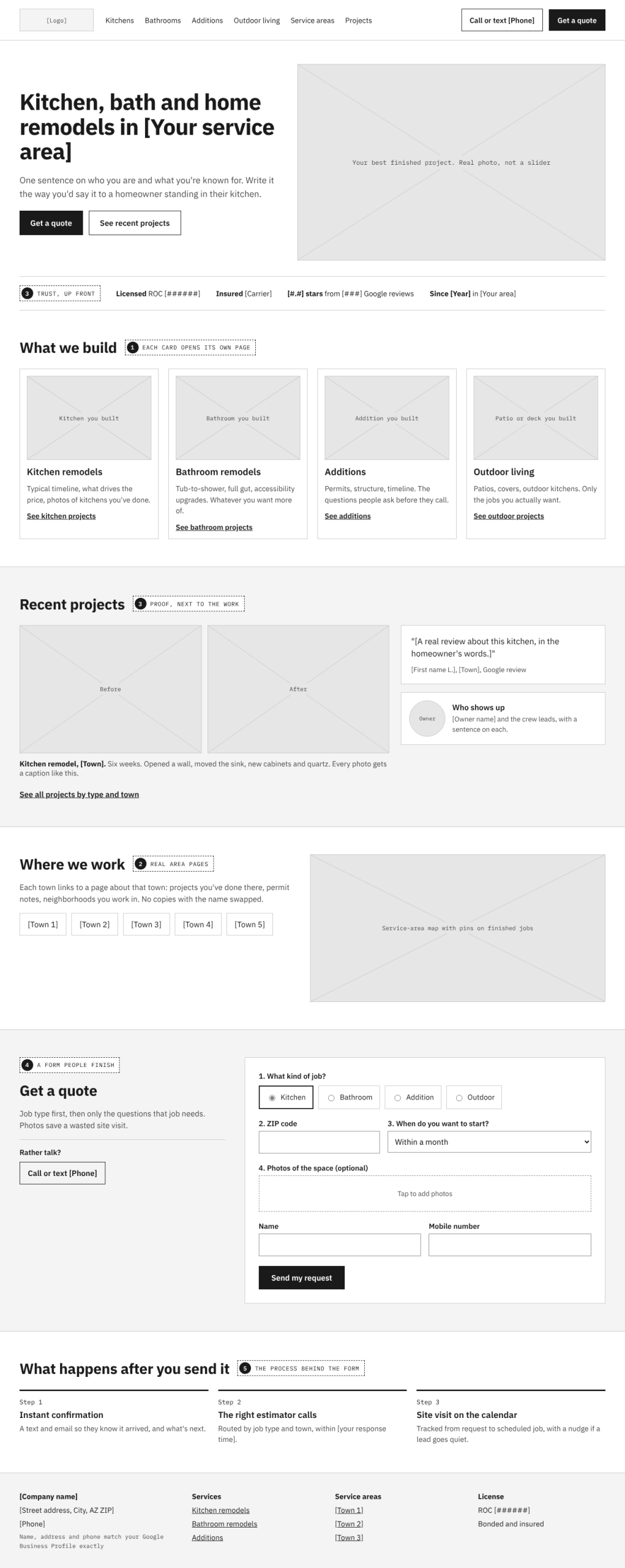
One “Services” page listing kitchens, baths, additions, roofing and decks gives Google nothing to rank and the homeowner nothing to read. Give each job you want more of its own page: what’s involved, typical timeline, what affects the price, and photos of that exact kind of work you’ve done.
Someone searching for a kitchen remodel should land on your kitchen remodel page, not your homepage. That page is also where the quote button should be.
2. Service-area pages that say something real
Homeowners search with a town in mind. Pages for the areas you actually serve help you show up there, but only if each one is genuinely about that place: projects you’ve done nearby, local permitting quirks, neighborhoods you work in. Fifty copies of the same page with the city name swapped look like spam to Google and to people.
Make sure your service area, address and phone number match your Google Business Profile exactly.
3. Proof, not promises
Every contractor says they’re reliable and do quality work. The site has to show it:
- Real project photos. Before and after, sorted by job type. Stock photos of smiling models in hard hats do more harm than good.
- Reviews with names and places, placed next to the work they describe, not buried on a testimonials page.
- License and insurance, stated plainly with your license number. In Arizona that’s your Registrar of Contractors number; homeowners and smart neighbors look it up.
- Who shows up. A photo and a sentence about the owner and crew leads. People are letting you into their home.
4. A quote request someone will actually finish
This is where most contractor websites lose the job. A twenty-field form on a phone is a form nobody finishes. A good one:
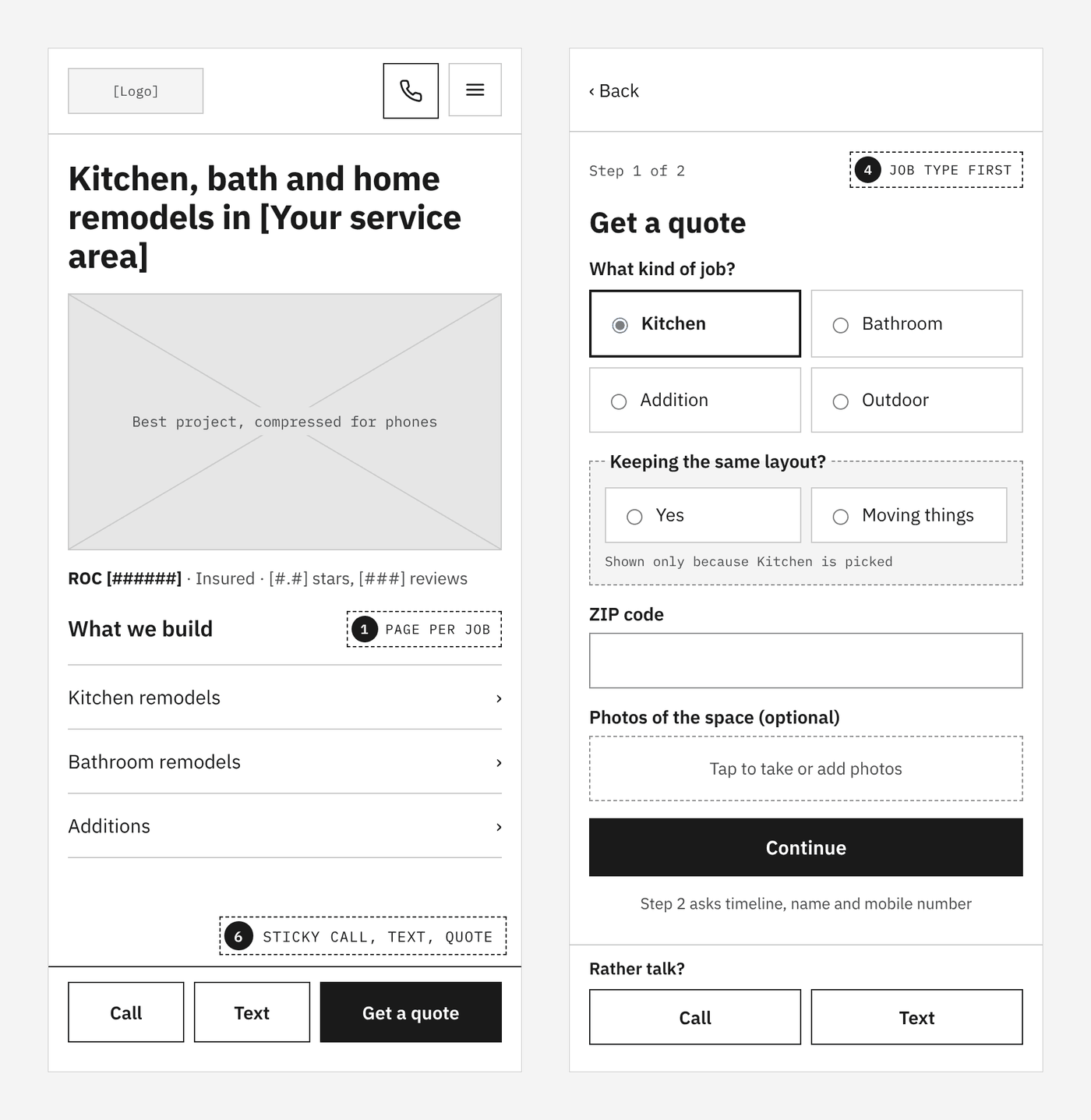
- Asks the job type first, then only the questions that matter for that job.
- Gets a ZIP code early, so out-of-area requests are filtered politely.
- Lets people add photos of the space, which saves you a wasted site visit.
- Asks about timeline, so you know who is ready now.
- Offers tap-to-call or tap-to-text right beside it, for people who would rather talk.
Then test it. Forms break quietly, and a broken form looks exactly like a slow month.
5. What happens after someone hits Send
The fastest contractor to respond often gets the job. If quote requests land in a shared inbox, get copied into a spreadsheet, and wait for whoever checks email next, the website did its part and the process lost the lead.
The same site can route each request to the right estimator, send the homeowner an instant confirmation, track every quote from request to scheduled job, and remind someone when a lead has gone quiet. That’s the kind of quote-to-schedule workflow we build on our systems side.
6. Fast, and built for the phone
Many homeowners find contractors on a phone, often standing in the room they want redone. Big uncompressed project photos and heavy page builders make that first impression slow. See what actually speeds up a WordPress site.
Common contractor website mistakes
- A homepage slider of generic images instead of your best project.
- No phone number in the header on mobile.
- A gallery with no captions: no job type, no town, no story.
- A site the original builder set up years ago that nobody can update, so the newest project photo is from three seasons back.
- Nobody watching the site. Updates, backups and form checks matter; see what website maintenance costs.
How we build contractor websites
Here’s the same layout as a full-color concept for a fictional remodeler. Each labeled box shows the kind of photo that belongs there, so you can see what to shoot before the site is built.
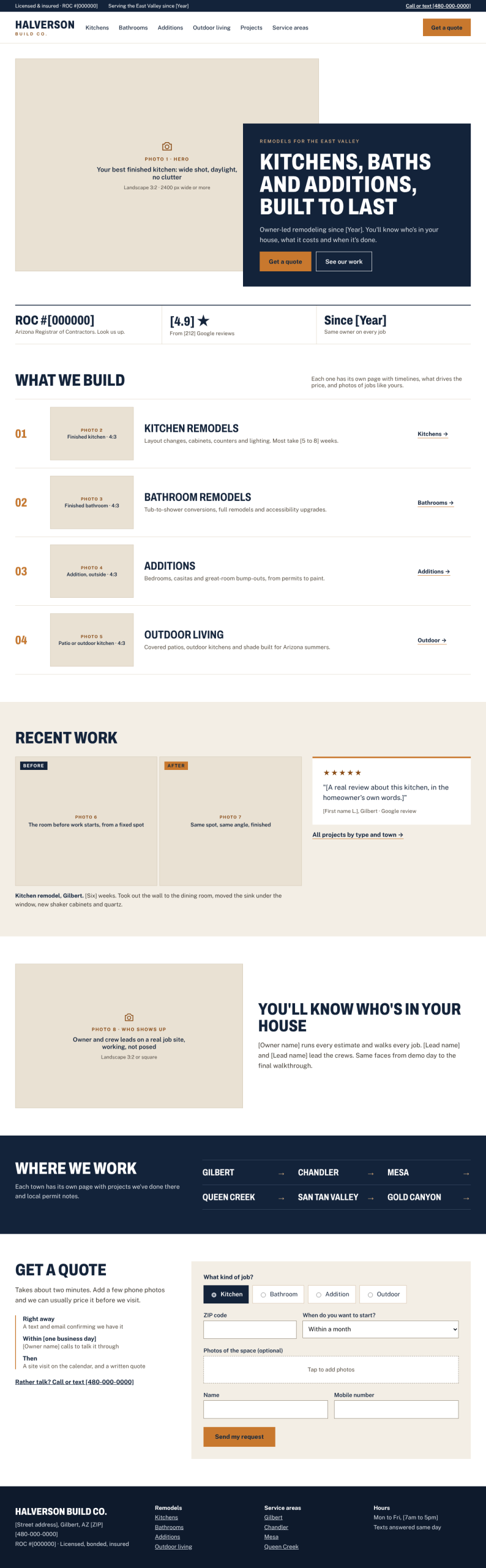
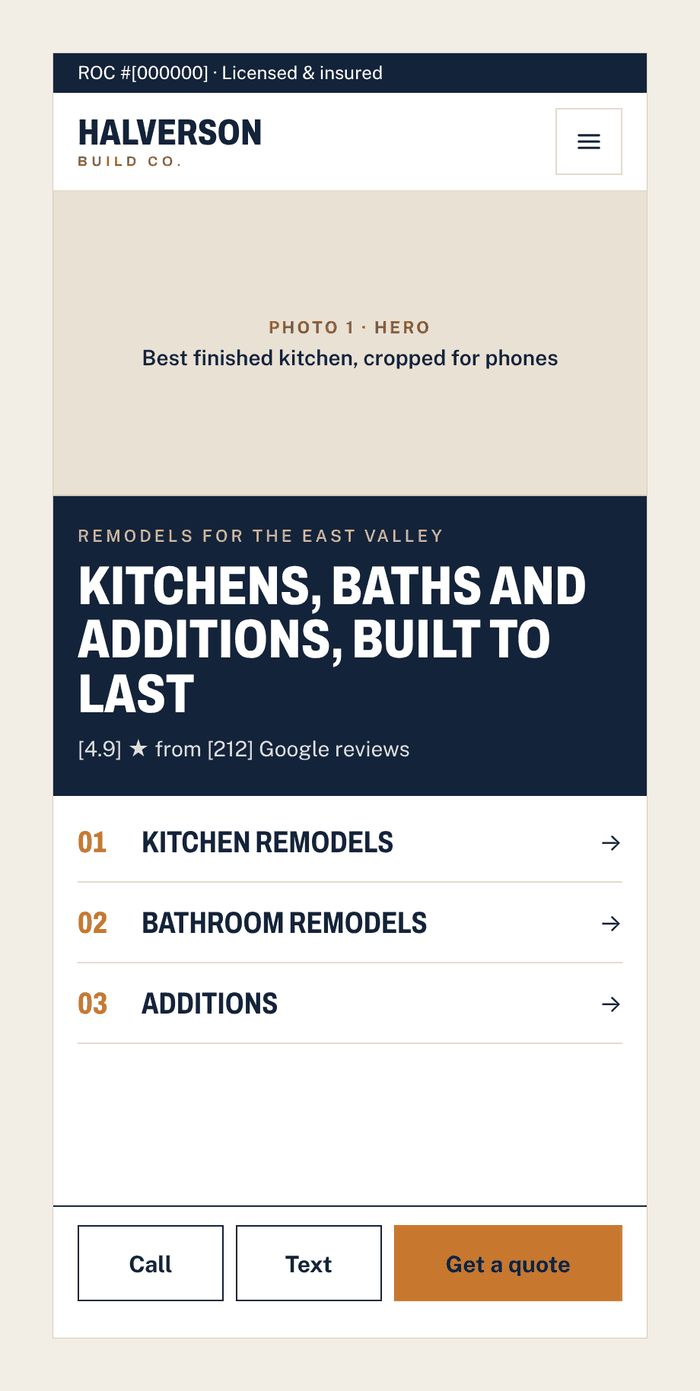
We build websites for contractors and other service businesses on WordPress, on a monthly Growth Plan. Foundation rebuilds the site and keeps it improving. Operating adds the quote-to-schedule system behind it. Hosting and maintenance are included, so the site keeps getting better instead of aging until the next redesign.
Not sure where your site is losing jobs? Get a free site review and we’ll show you.