
Plumbing website design comes down to one moment: someone with water on the floor picks up their phone and searches. The site that wins that call shows a phone number they can tap, proves you serve their area and do this job, and makes them trust you in about ten seconds. Everything else on a plumbing website supports that moment or the bigger, planned jobs that come after it.
Here’s what a plumbing website needs, page by page, and the mistakes that send emergency calls to the next plumber on the list.
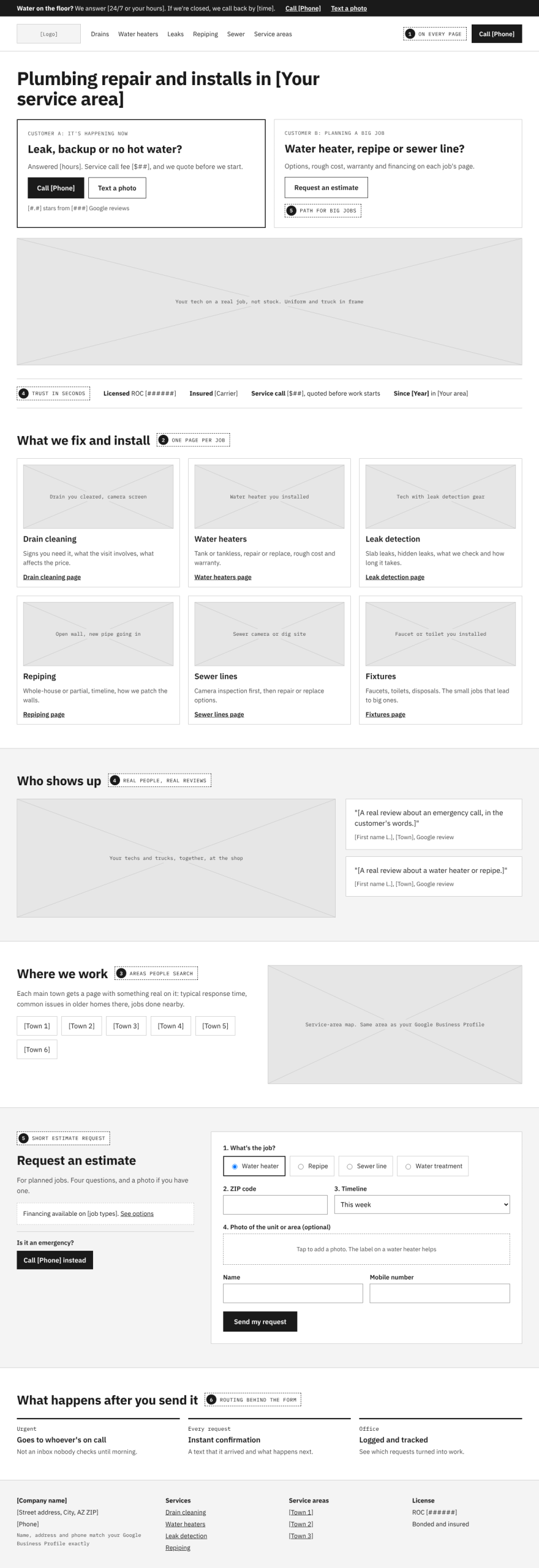
Design for two very different customers
Plumbing websites serve two people who want opposite things:
- The emergency caller wants a phone number, fast. They won’t read, compare or fill out a long form.
- The planned-job customer, replacing a water heater or repiping a house, wants detail: options, rough cost, warranty, financing, and proof you’ve done it before.
A good plumbing website gives the first person a tap-to-call button that never leaves the screen, and gives the second person service pages worth reading.
1. A phone number that’s always one tap away
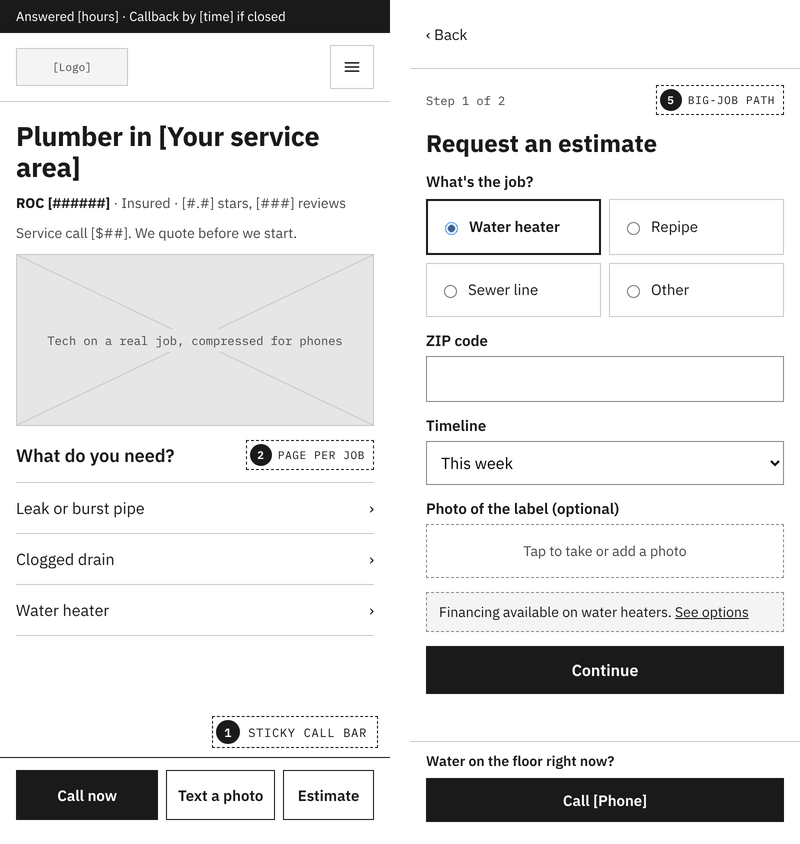
On a phone, the number should sit in a sticky header or bar on every page. Say plainly when you answer: if you offer after-hours or emergency service, say so next to the number; if you don’t, say when you’ll call back. Offer a text option too. Plenty of people would rather text a photo of the leak than describe it.
2. Service pages for the jobs you want
Drain cleaning, water heaters, leak detection, repiping, sewer lines, fixtures, water treatment. Give each job you want more of its own page: signs you need it, what the visit involves, what affects the price, and photos of real jobs. These pages are what rank for the specific searches, and they’re where planned-job customers decide.
3. Service areas that match how people search
Emergency searches are almost always local. List the cities and neighborhoods you serve, and build pages for your main areas with something specific to say: response times, common issues in older homes there, jobs you’ve done nearby. Keep your service area, address and phone number identical to your Google Business Profile.
4. Trust you can see in seconds
- License and insurance, with your license number.
- Reviews near the call button and on each service page, not only on a reviews page.
- Real photos of your trucks, techs and work.
- How you price: whether there’s a service call fee, and whether you quote before starting. Nobody wants a surprise bill, and saying how you price up front takes that worry off the table.
5. A path for the big jobs
Water heater replacements and repipes are planned purchases. Give them a short estimate request that asks the job type, ZIP code and timeline, with an optional photo upload. If you offer financing, say so on those pages. A homeowner comparing three plumbers will often pick the one who made the big decision feel manageable.
6. What happens when a request comes in
A form that lands in an inbox nobody checks until morning loses the emergency job. The same website can route urgent requests to whoever is on call, send the customer an instant confirmation with what happens next, and log every request so the office can see what turned into work. That routing is the kind of system we build behind service business websites; see how we build systems.
Common plumbing website mistakes
- A phone number that isn’t tappable, or only appears in the footer.
- A slow homepage video that delays the call button on a weak mobile signal.
- One services page listing everything, so nothing ranks.
- Stock photos of plumbers who obviously don’t work for you.
- Forms nobody tests. A broken form looks exactly like a slow week.
Many of the same principles apply across the trades. Our guide to contractor website design covers project galleries and quote forms in more depth, and if you’re replacing an older site, read how to redesign without losing your rankings first.
How we build plumbing websites
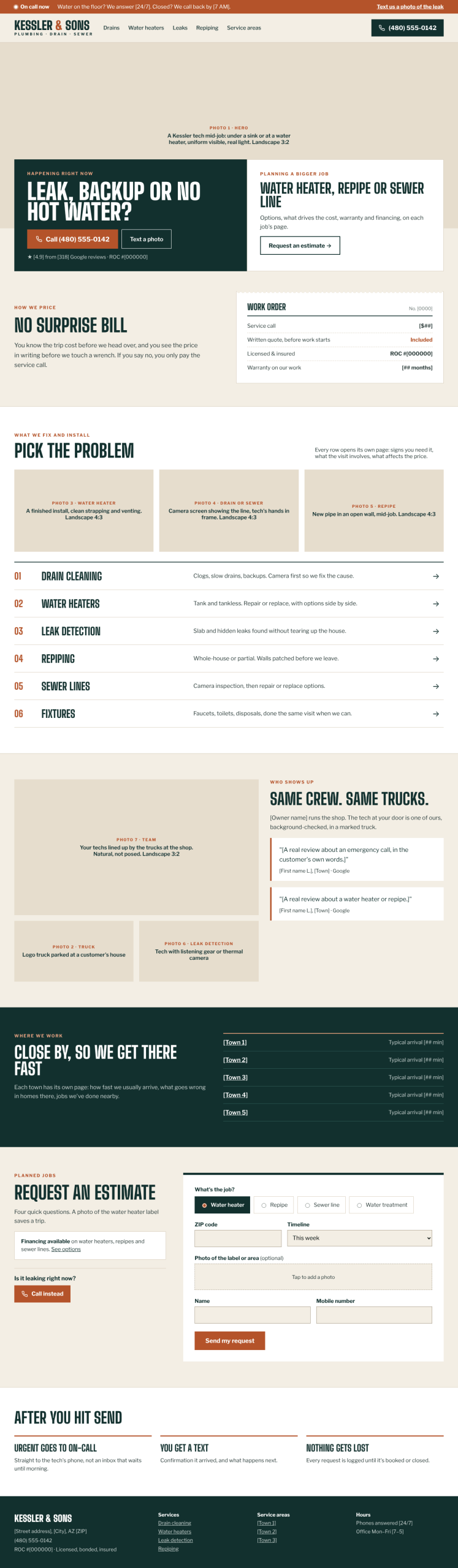
Here’s the same layout as a full-color concept for a fictional plumbing company. Each labeled box shows the kind of photo that belongs there, so you can see what to shoot before the site is built.
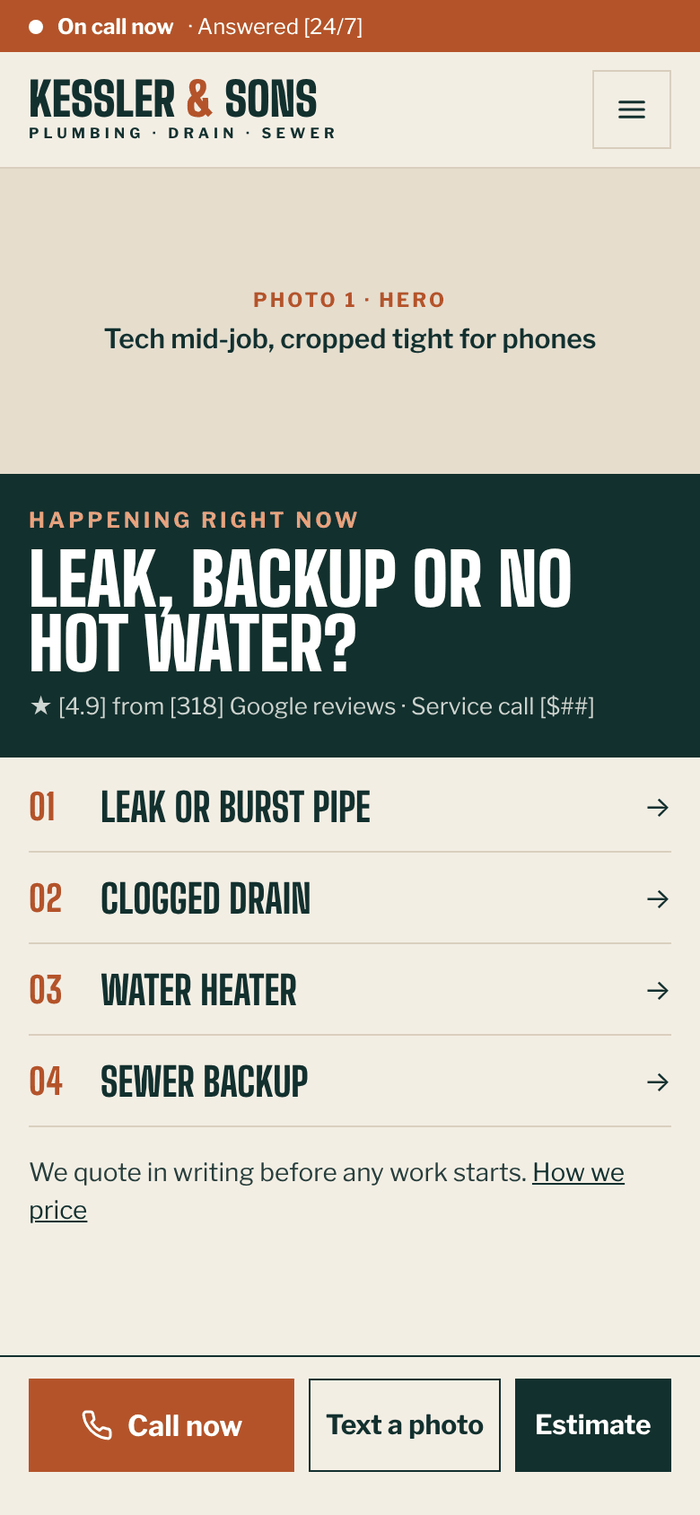
We build websites for plumbers and other service businesses on WordPress, on a monthly Growth Plan: the rebuild, hosting, maintenance and ongoing improvements in one fee, with the request-routing system available on the Operating plan. Start with a free site review and we’ll show you where your site is losing calls.